
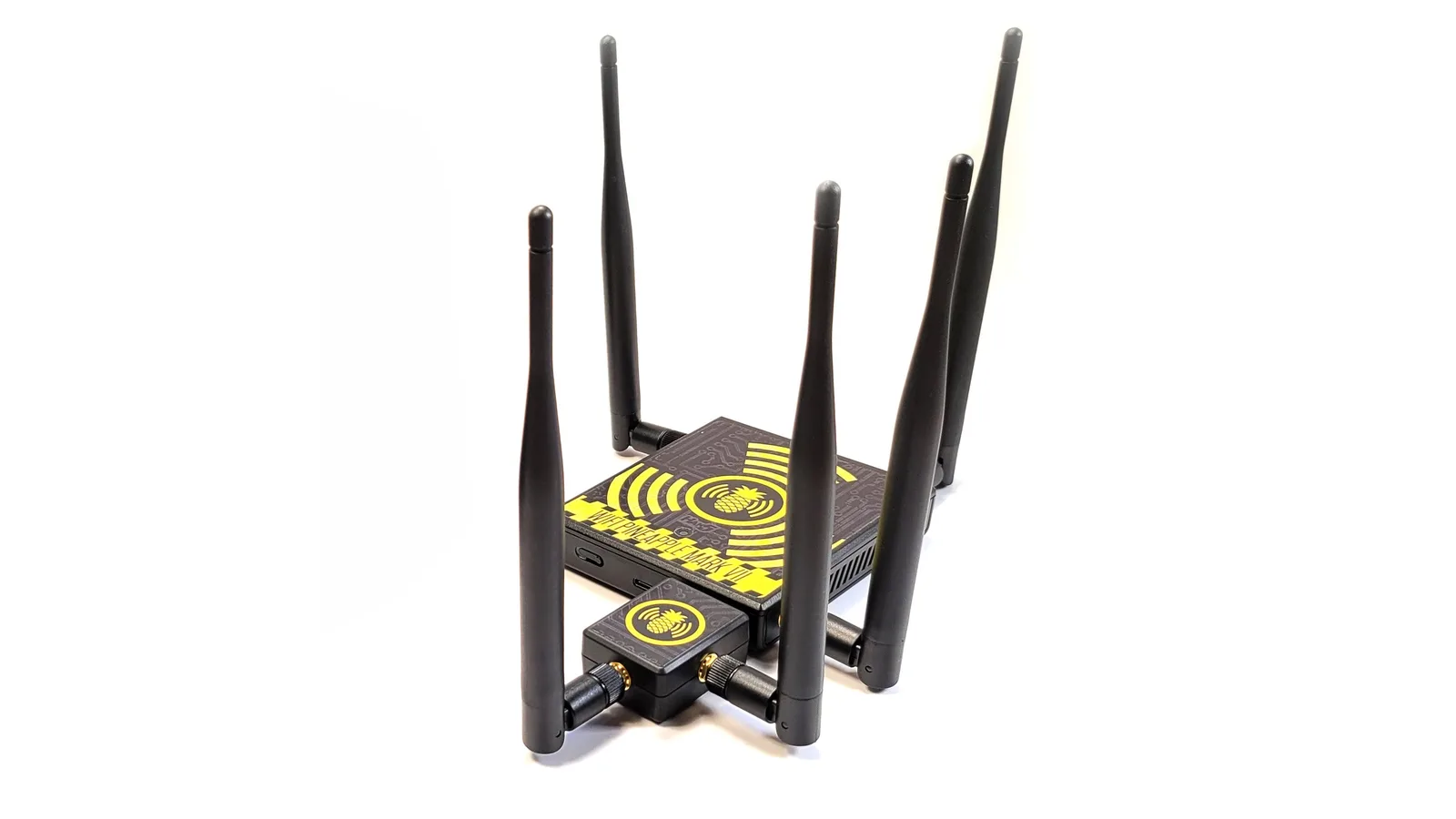
What Hak5's MK7AC module adds to the Mark VII, Basic vs +AC compared, authorised use cases, setup and how to buy the kit from ALFA Network LK in Sri Lanka.
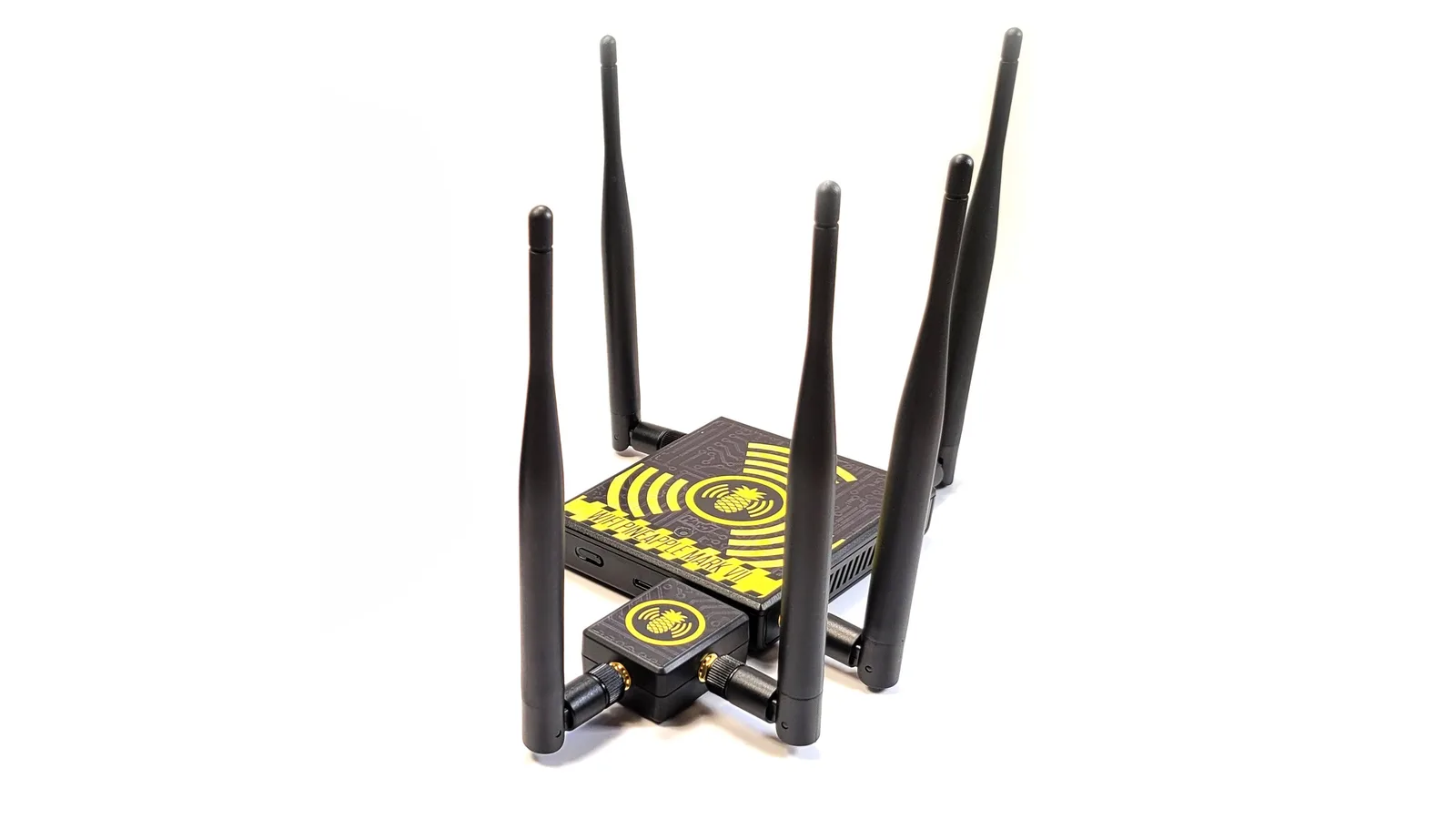
Product photo: Hak5
The band your report forgot to mention
Most Wi-Fi assessment reports in Sri Lanka still read as if every office runs on 2.4 GHz. In practice, many modern access points push laptops and phones towards 5 GHz first, and a large part of the interesting traffic lives there. If your test kit only listens on one band, your findings describe half the building.
That gap is the whole reason the Hak5 WiFi Pineapple Mark VII+AC exists. It is the standard Mark VII bundled with Hak5's MK7AC dual-band 802.11ac module, sold as one package. ALFA Network LK lists the kit at LKR 122,500 (VAT inclusive).
This guide explains what the module actually adds, who should pay for it, how it compares with the Mark VII Basic, and how to keep every minute of its use inside a written scope. If you only need the base unit, our Mark VII Basic lab guide covers that model on its own.
Availability: Hak5 currently lists the Mark VII+AC kit as on back-order. Before you plan a project around it, message ALFA Network LK on WhatsApp (+94 75 255 0704) or email info@alfanetworklk.com to confirm stock and timing.
What is in the box, in plain terms
The Mark VII+AC is two pieces of hardware that work as one tool.
The Mark VII base unit
Hak5 describes the Mark VII as a portable Wi-Fi pentest companion. On its own it works on 2.4 GHz 802.11 b/g/n, with a single-core MIPS network SoC, three dedicated role-based radios and three high-gain antennas. It has a USB-C port for power and Ethernet, a USB 2.0 host port, a single RGB status LED, 256 MB of RAM and 2 GB of eMMC storage. You drive it from a web browser, so there is no client software to install on Windows, macOS or Linux.
Hak5's own spec line is worth reading carefully: "2.4 GHz 802.11 b/g/n (5 GHz/ac with module)". In other words, the base unit is a 2.4 GHz device. 5 GHz work is what the module is for.
The MK7AC module
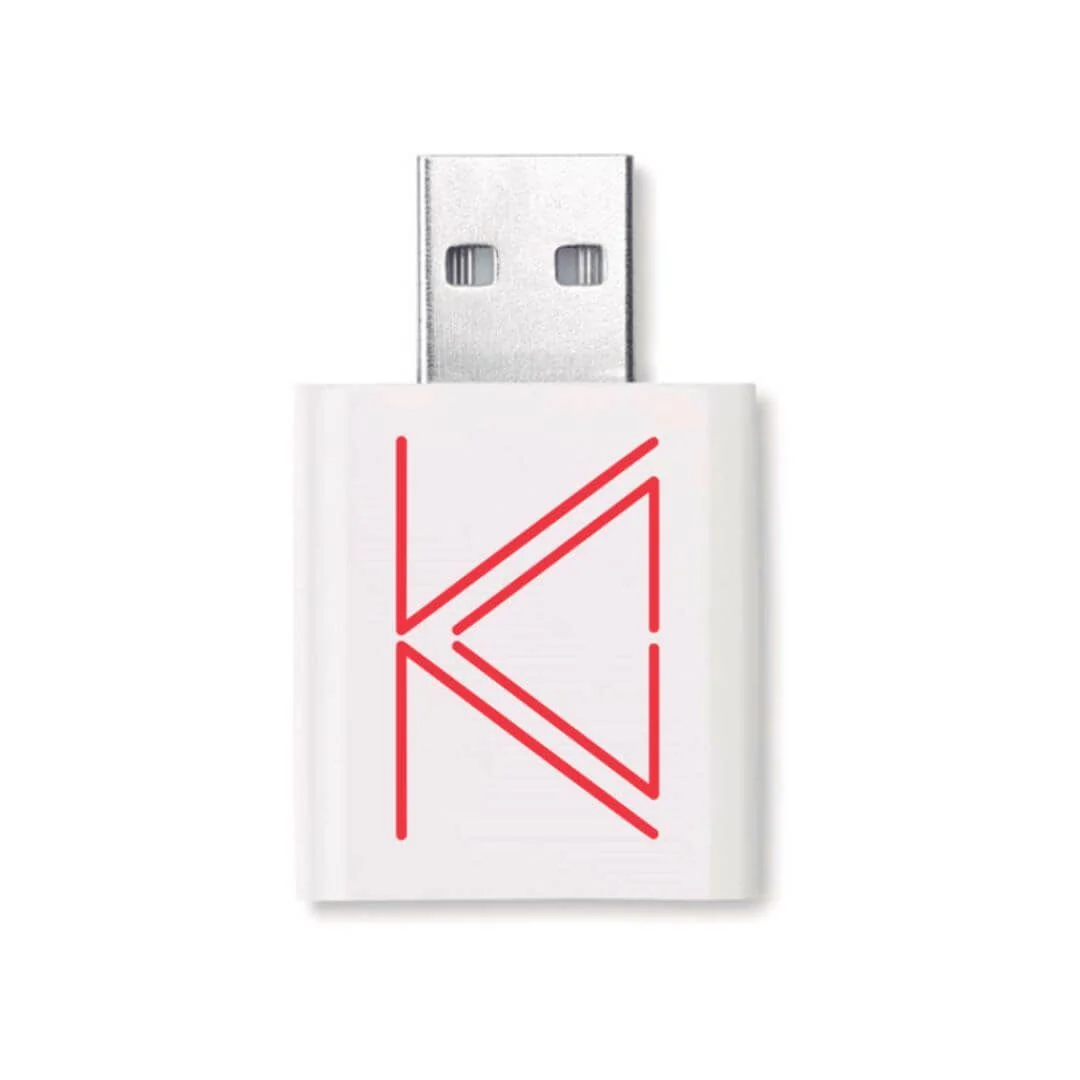
The MK7AC is a compact USB Wi-Fi adapter built for the Mark VII. Hak5 lists:
| Item | MK7AC specification (per Hak5) |
|---|---|
| Standards | IEEE 802.11 a/b/g/n/ac (Wi-Fi 5) |
| Chipset | MediaTek MT7612U |
| Bands | 2.4 GHz and 5 GHz |
| Rated throughput | 866 Mbit/s |
| Interface | USB 3.0 |
| Antennas | 2 × high-gain RP-SMA |
| Size | 33 × 44 × 20 mm |
| Included | USB-C to USB-A 3.0 adapter |
Hak5 says the module adds dual-band 802.11ac monitor and injection to the Mark VII. It is also usable with many Linux pentest tools, so it is not dead weight on days when the Pineapple stays in the bag.
Firmware 2.0 ties them together
With Firmware 2.0 (a free download from Hak5), the Mark VII recognises the MK7AC automatically and presents integrated 2.4 + 5 GHz operation. The same release brought enhanced recon, automatic handshake capture, improved deauthentication handling, a web UI firewall and WPA-Enterprise testing features. Update the firmware before you rely on the dual-band view; an old image on a new module is a common source of "why can't I see 5 GHz?" confusion.
Mark VII Basic vs Mark VII+AC
Both are the same Mark VII platform. The difference is radio coverage, cost and what you can honestly put in a report.
| Mark VII Basic | Mark VII+AC | |
|---|---|---|
| Base unit | Mark VII | Mark VII |
| Bands out of the box | 2.4 GHz | 2.4 GHz + 5 GHz (with MK7AC) |
| 802.11ac monitor and injection | No | Yes, via MK7AC |
| Extra antennas | None | 2 × RP-SMA on the module |
| ALFA Network LK price (VAT inclusive) | LKR 106,000 | LKR 122,500 |
| Current availability | Listed in stock | On back-order at Hak5; message us to confirm |
A simple rule of thumb:
- Choose the Basic if your work is classroom teaching, 2.4 GHz IoT and legacy device testing, or rogue access point awareness demos where one band tells the story clearly.
- Choose the +AC if you write findings for real corporate, hospitality or campus networks, where dual-band access points and band steering are the norm and a 2.4-only view would leave obvious questions unanswered.
If you already own a Mark VII Basic, the MK7AC is the piece that turns it into the +AC configuration. Ask ALFA Network LK before buying separately so you are not double-paying for hardware you already have.
Who the +AC is really for
Consultants who sign their name on findings
Picture this: a consultant runs a two-day wireless review for a hotel group in Galle. The guest network broadcasts on both bands, and most guest phones sit on 5 GHz. A 2.4-only capture would show a quiet, harmless network. The +AC kit lets the consultant observe what client devices are actually doing on the band they use, and the report can say so with evidence rather than assumption.
Internal security teams with dual-band estates
For example, an IT team at a mid-sized manufacturer wants to check that the rogue-AP detection on its new controller fires on 5 GHz as well as 2.4 GHz. That is a defensive test, signed off by the company's own management, and it needs a tool that transmits and listens on both bands.
Trainers and universities
Lecturers who teach wireless security to final-year students benefit from showing both bands side by side: why band steering exists, why channel width matters, and why "we turned off 2.4 GHz" is not the same as "we are secure."
Who probably does not need it
If you mainly need monitor-mode capture on a laptop, an ALFA USB adapter such as the AWUS036ACH or AWUS036ACM is a smaller spend. If you want a battery-powered handheld instead of a browser-driven unit, the WiFi Pineapple Pager is a separate product with its own design, and it is not a Mark VII variant.
Use cases inside an authorised assessment
Everything below assumes written permission from the network owner, with named SSIDs, sites, dates and methods. Nothing here is a recipe for testing networks you do not control.
- Dual-band reconnaissance. Map which access points, SSIDs and clients appear on 2.4 GHz versus 5 GHz, and confirm that the inventory in the scope document matches what is actually on air.
- Rogue access point resilience. Use PineAP within the filters you agreed to check whether in-scope test clients will join a look-alike network, and whether that behaviour differs by band.
- Detection validation. Confirm the client's wireless intrusion detection or controller alerts fire for activity on both bands. A control that only watches 2.4 GHz is a finding in itself.
- WPA2 and WPA-Enterprise configuration review. Within scope, test whether in-scope devices validate server certificates properly when they see an enterprise-style network.
- Campaign reports. Use the Mark VII's campaign feature to produce repeatable, dated results, so the retest after remediation is comparable with the first run.
The MAC and SSID filtering in the Pineapple interface is not optional decoration. Set allowlists to the devices and networks in the scope document before you enable anything active, and keep a screenshot of those settings for the report.
Setup overview
This is a high-level checklist, not a replacement for Hak5's documentation.
- Unpack and inventory. Check the base unit, antennas, MK7AC module, its antennas and the USB-C to USB-A adapter. Note serial numbers in your asset register.
- Update firmware first. Download the current Mark VII firmware from Hak5's official site and apply it before your first engagement. Firmware 2.0 or later is what gives you automatic MK7AC support.
- Connect the module. Attach the MK7AC to the Mark VII over USB, fit both RP-SMA antennas, and power the unit from a supply that can handle the extra load. Under-powered USB ports cause odd, intermittent radio behaviour.
- Open the web interface. Connect over USB-C Ethernet and complete setup in a browser. Set a strong admin password and keep the management interface off any shared network.
- Confirm dual-band. In the recon view, check that 5 GHz networks appear in your own lab before you go on site.
- Configure filters. Load the in-scope SSIDs and client MAC addresses. Default to deny.
- Plan Cloud C² carefully. Hak5's Cloud C² allows remote management. If you use it, treat the server and credentials as sensitive client data and record its use in the scope.
- Rehearse the shutdown. Know exactly how you will stop all active modules, export your data and power down at the end of the test window.
Ethics and the law
The Mark VII+AC is a professional assessment tool. It is legal to own; what you do with it is where the law applies.
In Sri Lanka, unauthorised access to a computer system can engage the Computer Crimes Act No. 24 of 2007. Capturing other people's traffic or credentials without permission can also raise privacy and data protection issues. This guide is practical product information, not legal advice. When in doubt, speak to a lawyer who knows local law before you test.
A few standards ALFA Network LK expects every buyer to hold:
- Written authorisation before any test, signed by someone who actually has the authority to approve it.
- Scope that names methods, not just targets. "Wireless test" is too vague; "rogue AP simulation against SSID X on these dates at this site" is usable.
- No testing of neighbours, public hotspots or networks you merely happen to be near. Your filters should make that impossible, not just unlikely.
- Careful data handling. Any captured credentials or personal data belong to the client. Store them encrypted, share them only in the report, and delete them on schedule.
- Honest reporting. If the test was limited to one band or one floor, say so.
Buying the Mark VII+AC from ALFA Network LK
ALFA Network LK is founder-led, and every Hak5 order is checked personally before it leaves.
- Price: Hak5 WiFi Pineapple Mark VII+AC: LKR 122,500 (VAT inclusive).
- Availability: Hak5 lists the kit as on back-order. Message ALFA Network LK first to confirm availability and expected timing.
- Verification: Before dispatch we ask for ID verification and a signed authorised-use declaration.
- Payment: cash on delivery, KokoPay, or bank deposit.
- Contact: WhatsApp +94 75 255 0704, or email info@alfanetworklk.com. You can also browse the range on alfanetworklk.com.
If you would rather start with the base unit, the Mark VII Basic is LKR 106,000 (VAT inclusive). Read the Mark VII Basic guide for that model.
FAQ
Is the Mark VII+AC a different device from the Mark VII?
No. It is the same Mark VII base unit packaged with Hak5's MK7AC dual-band 802.11ac module.
Can the Mark VII Basic see 5 GHz networks on its own?
Hak5 lists the base unit as 2.4 GHz 802.11 b/g/n, with 5 GHz/ac support when the module is added. For 5 GHz work, you need the MK7AC.
Does the MK7AC work with anything other than the Pineapple?
Hak5 says the MK7AC is compatible with many Linux pentest tools as well as the Mark VII. Check driver support for your distribution before relying on it.
Is the Mark VII+AC the same as the WiFi Pineapple Pager?
No. The Pager is a separate handheld product with its own hardware and workflow. The Mark VII+AC is the browser-driven Mark VII with an added 802.11ac module.
Is it in stock?
Hak5 currently shows the kit as on back-order. Message ALFA Network LK on WhatsApp or email info@alfanetworklk.com to confirm availability before you order.
Why do you ask for ID and a signed declaration?
Because this is assessment hardware. The checks keep the tool with people who use it for authorised testing, training and defence.
Can I use it to "check" my office Wi-Fi without telling anyone?
Not unless you have written approval from whoever is responsible for that network. Even internal tests need a signed scope.
Comments (0)
No public comments yet.