Moving to Microsoft 365, Google Workspace or AWS doesn't hand your security to the provider. What the shared responsibility model means in practice, and the jobs that always stay with you.
"It's in the cloud, so Microsoft handles security." I hear some version of this every month, usually from a business owner who has moved email to Microsoft 365 or Google Workspace and files to OneDrive or Google Drive. It's an understandable assumption. It's also the reason a lot of small companies find out, after an incident, that some important job was nobody's.
The cloud providers are very clear about where their job ends. They just say it in documentation most people never read. This post translates it into plain terms and gives you a short list of what stays on your side.
The idea in one paragraph
AWS describes it as security "of" the cloud versus security "in" the cloud. In its shared responsibility model, AWS looks after the hardware, the data centres, the global network and the software that runs its services. You look after what you put on top: your data, your accounts and permissions, your operating systems and firewall settings, your encryption choices. Microsoft's version for Azure and Google's shared responsibility and shared fate page say the same thing in their own words.
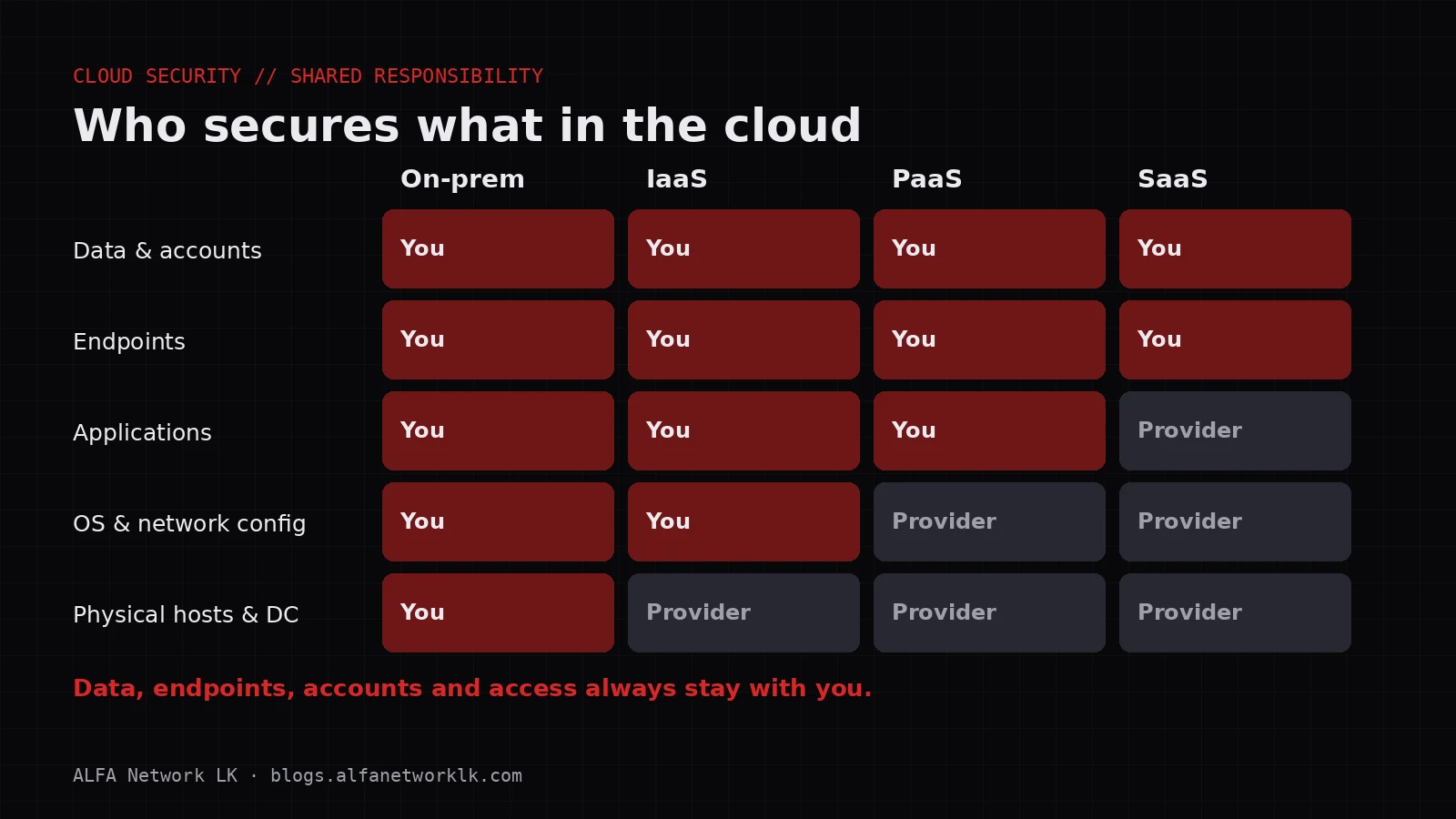
The split moves depending on what kind of service you're using, but it never moves all the way to the provider.
How the line moves
Infrastructure as a service (IaaS): virtual servers on AWS EC2, Azure VMs, Google Compute Engine. The provider runs the physical machines and the virtualisation layer. You own almost everything else: patching the operating system, the firewall rules, the software you install, backups, who can log in.
Platform as a service (PaaS): managed databases, app hosting, serverless functions. The provider now patches the operating system and the database engine. You still own your application code, its configuration, who has access, and the data.
Software as a service (SaaS): Microsoft 365, Google Workspace, your accounting or HR system. The provider runs the whole application. You still own the accounts, the permissions, the sharing settings, the devices people sign in from, and the data itself.
Microsoft puts the last part bluntly. Its shared responsibility page has a section called "Responsibilities you always retain". Regardless of the type of deployment, the customer is responsible for data, endpoints (the laptops and phones that access the service), accounts, and access management. That holds even for pure SaaS.
What that means in practice for a typical Sri Lankan SME
Let's take a common setup: Microsoft 365 or Google Workspace for email and files, an accounting package in the cloud, and maybe one or two servers on AWS or Azure for a website or an internal app.
Here's what the provider is doing for you. It keeps the data centres physically secure, patches its own infrastructure, keeps the service available within its service terms, and protects the platform itself from attack.
And here's what is still yours.
Accounts and sign-in
If an employee's password is phished and they don't have MFA, the attacker signs in as them. From the provider's point of view, that's a legitimate login. Nothing is broken on their side.
- Require MFA for everyone. On Microsoft 365 without Entra ID P1/P2 licences, security defaults are free and do this. On Google Workspace, enforce 2-Step Verification from the Admin console.
- Remove accounts when people leave, the same day. Shared mailboxes shouldn't have their own password that everyone knows.
- Keep the number of global or super administrators small, two or three, and make sure each one is a named person.
Configuration
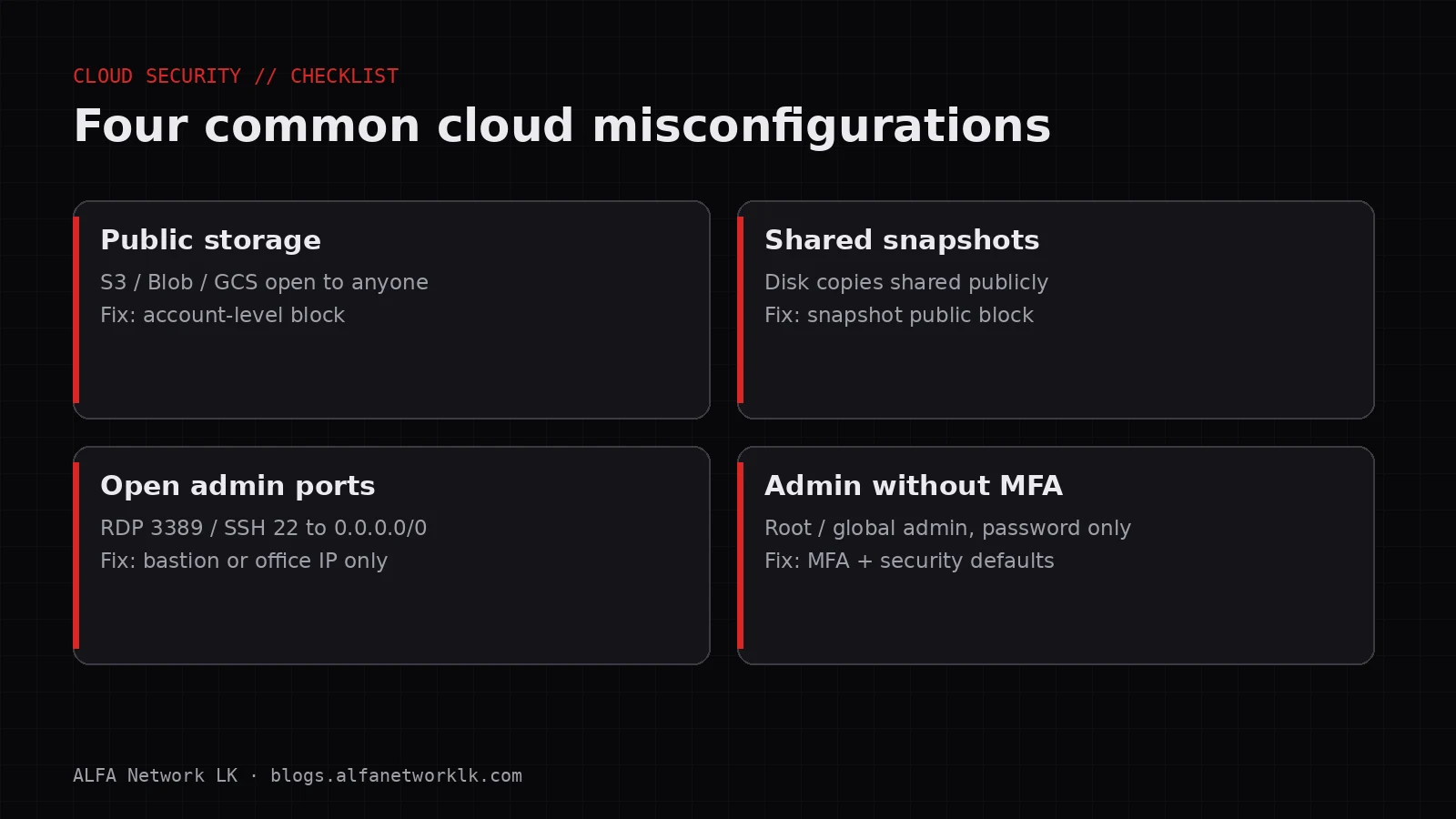
Sharing settings, mail forwarding rules, which third-party apps users are allowed to connect: all of these are switches in your admin console, and the defaults aren't always the safest choice for you.
CISA's Secure Cloud Business Applications (SCuBA) project publishes secure configuration baselines for Microsoft 365 and Google Workspace. It also offers two free assessment tools, ScubaGear for Microsoft 365 and ScubaGoggles for Google Workspace, that compare your tenant against those baselines. They were written for US government agencies, but CISA says any organisation can use them. Running one against your tenant is a quick way to see where you stand, even if you don't adopt every recommendation.
Data, including backups
This is the one that catches people out. Cloud services are built to be highly available, but availability isn't the same as backup. If a user deletes a folder, or ransomware on a synced laptop encrypts files that then sync up to OneDrive, or a former employee empties their mailbox on the way out, the service may faithfully keep the damaged version.
Built-in recycle bins and retention features help, but they have limits and time windows. Know what they are for your plan. Microsoft now sells Microsoft 365 Backup for SharePoint, OneDrive and Exchange, and there are third-party options for both Microsoft 365 and Google Workspace. Whichever you choose:
- Decide what needs backing up and how far back you'd need to go.
- Test a restore. A backup you've never restored from is a hope, not a plan.
For servers you run yourself on AWS or Azure, backups are entirely your job unless you've set up the provider's backup service and checked that it works.
Endpoints
The laptop that signs in to Microsoft 365 is your responsibility. If it has malware that steals session cookies, MFA may not save you. Keep devices patched, use the built-in endpoint protection, and where your licences allow it, only let managed devices reach company data.
Logging
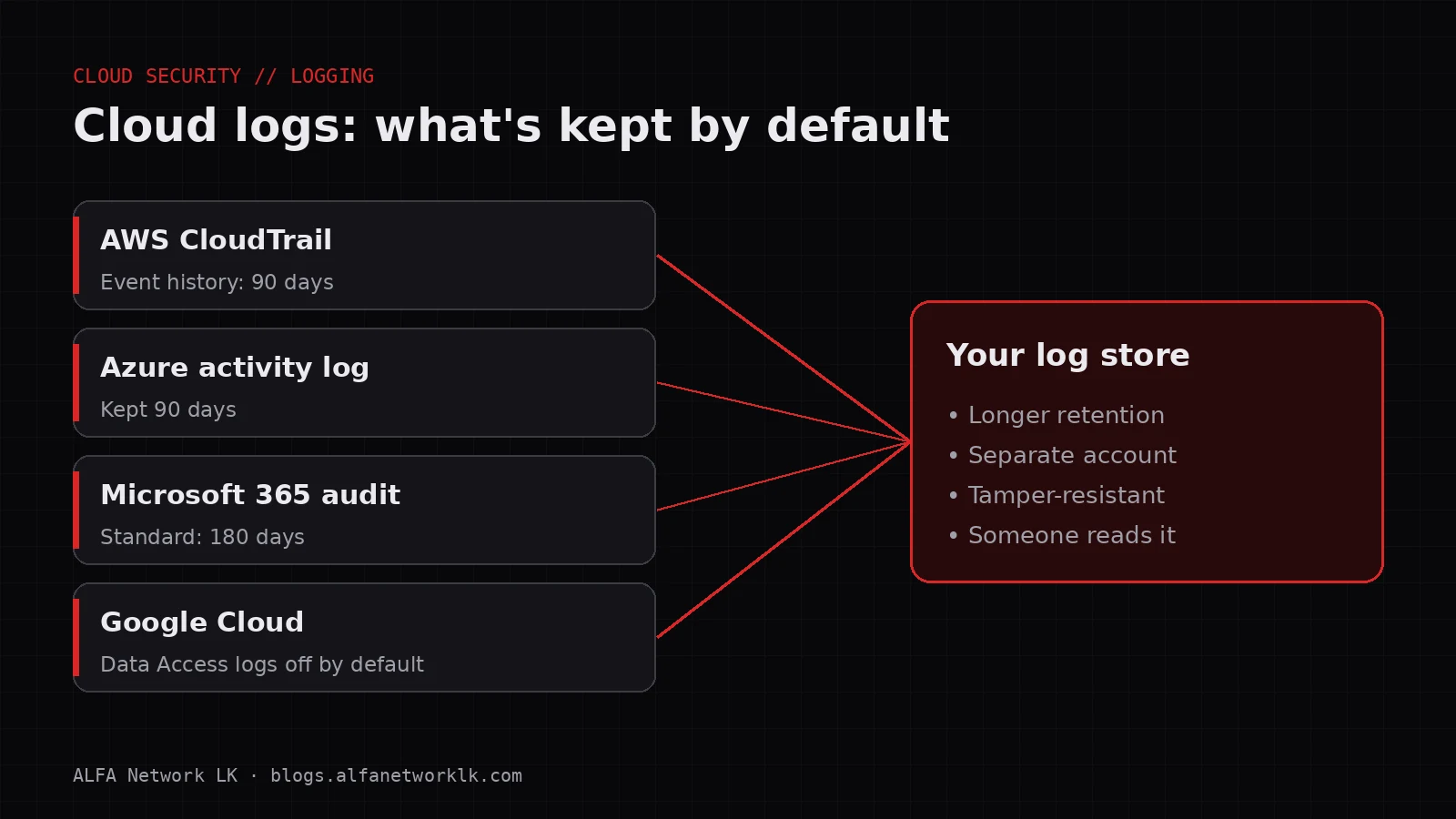
Providers record a lot of activity, but they keep it for limited periods, and some useful logs are switched off until you turn them on. I've covered which logs to enable in a separate post on cloud logging. The short version is: check what's on before you need it.
Your vendors have a share too
If an outside IT company or managed service provider runs your tenant, there are now three parties in the picture. The NSA lists "Uphold the cloud shared responsibility model" first in its Top Ten Cloud Security Mitigation Strategies, and it also has a separate item on managing the risks from managed service providers in cloud environments.
In practice, get these things in writing:
- Who has admin access, from which accounts, and whether those accounts use MFA.
- Who is responsible for backups, and how often restores are tested.
- Who gets alerted when something suspicious happens, and what they're expected to do.
- What happens to access when the contract ends.
Where the PDPA fits
Under Sri Lanka's Personal Data Protection Act, No. 9 of 2022, your company is still responsible for the personal data it collects, even when that data sits on someone else's servers. Moving to the cloud changes where the data lives. It doesn't hand your obligations to the provider. If you're unsure what that means for you specifically, get legal advice. Getting the basics above right will put you in a far better position whatever the answer.
A short responsibility checklist
Go through this with whoever manages your IT and write a name next to each line.
- MFA enforced for every user, and stricter sign-in for admins
- Leavers' accounts removed on their last day
- Two or three named admins, no shared admin logins
- Sharing and external access settings reviewed against a baseline (SCuBA is a good free one)
- Backups in place for email and files, and a restore tested in the last six months
- Backups for any servers you run on AWS or Azure, and a restore tested
- Laptops and phones patched and protected
- Audit logging confirmed on, and someone knows how to search it
- Vendor responsibilities written down
The aim isn't to distrust your cloud provider. They do their part well. It's to make sure nothing important falls in the gap between their part and yours.
If you want help working out who owns what in your setup, ALFA Network LK can walk through it with you.
Sources
- AWS, Shared Responsibility Model
- Microsoft, Shared responsibility in the cloud
- Google Cloud, Shared responsibilities and shared fate on Google Cloud
- CISA, Secure Cloud Business Applications (SCuBA) Project
- NSA, Top Ten Cloud Security Mitigation Strategies (March 2024)
- Microsoft, Security defaults in Microsoft Entra ID
- Microsoft, Microsoft 365 Backup overview
- Data Protection Authority of Sri Lanka, Personal Data Protection Act No. 9 of 2022
Cover diagram: ALFA Network LK
Comments (0)
No public comments yet.